6DOF data information

The data of the 6DOF bodies in the current frame can be viewed in the Data info window. The bodies will be shown in the same order as on the 6DOF Tracking page or the Rigid Body Identification page, depending on the used tracking method. The data is relative to the reference coordinate system as defined for the respective rigid bodies (global coordinate system by default), see chapter Coordinate system for rigid body data. The angles are expressed in Euler angles according to the definition on the Euler angles page.
Click Display 6DOF data in the Data info window menu to show the 6DOF data in the following eight columns:
-
Body
The name of the 6DOF body.
-
x, y and z
The position (in mm) of the origin of the measured rigid body’s local coordinate system relative to its reference coordinate system.
-
If the 6DOF data cannot be calculated, the x column displays "Not found". When the 6DOF body is disabled in the 6DOF Tracking settings, the x column displays "Disabled".
-
Roll, Pitch and Yaw
The rotation (in degrees) of the measured rigid body relative to its reference coordinate system, expressed in Euler angles as defined on the Euler angles page.
-
Residual
The rid body residual, calculated as the average of the errors (distance) in mm of the measured markers compared to the points in the rigid body definition.
To plot the data select the data for one or more 6DOF bodies, click Plot or Plot filtered on the Data info window menu and then the type of data. With Plot filtered you can apply a Fit to 2nd degree curve or Moving average filter.
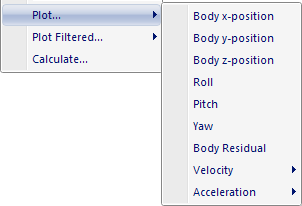
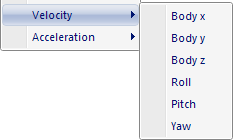
You can also plot the velocity and acceleration in the three directions of the coordinate system for rigid body data and the angular velocity and acceleration for the three rotation angles. It is recommended to use Plot filtered and apply the filter before the calculation for Velocity and Acceleration, because the noise is amplified by the calculations.
For information about the Plot window see chapter Plot window.