Force data information
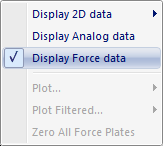
When force data is present, it can be shown in a Data info window. Click Display Force data in the Data info window menu, to show the force data for all force plates.
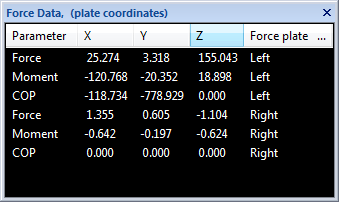
The Data info window shows the vector components of the Force, Moment and COP (Center Of Pressure) vectors for each force plate. The data represents the action force, i.e. the force exerted on the force plate in the coordinate system selected on the Force Data settings page (default: Local (force plate) coordinates). The selected coordinate system is displayed in the window title. For more information about force data and its interpretation, see chapter Viewing force data.
The displayed data is for the current frame in the following five columns:
-
Parameter
The name of the vector.
-
X, Y, Z
The force (N), moment (Nm) and COP (mm) components in the selected coordinate system.
-
Force plate
The name of the force plate for the data in that row.
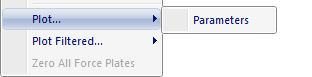
To plot the data, right-click on a row, click Plot in the Data info window menu, and then Parameters. The X, Y and Z component data is plotted for the selected parameter in a single plot window. It is not possible to plot multiple parameters in a single plot. For information about the Plot window see chapter Plot window.
The number of seconds in the force plot is specified on the GUI page in the Project options dialog, see chapter GUI.