Matlab file export
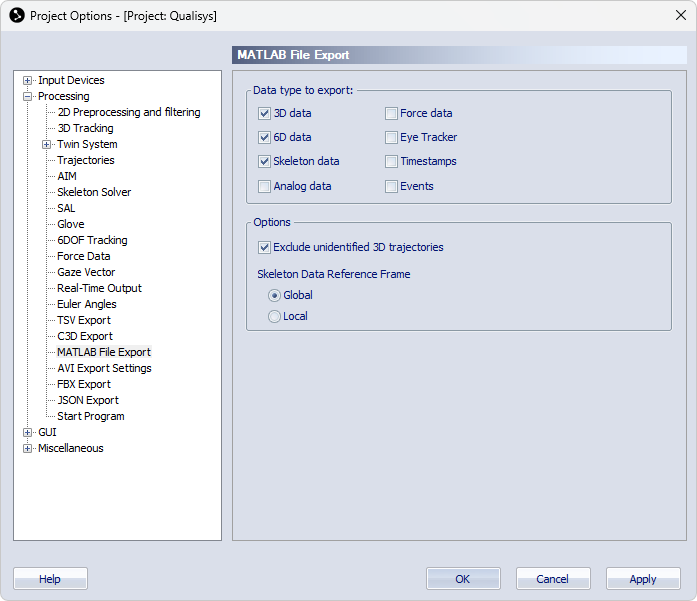
The Matlab file export page contains settings for the export to MAT files. For information about MAT file export see chapter Export to MAT format. Select which data types to export with the Data type to export options.
The following data can be selected.
-
3D data
All of the 3D data will be included, both labeled and unidentified. Use the Exclude unidentified trajectories option to only export the labeled trajectories to the MAT file.
-
6D data
Include 6DOF data.
-
Skeleton data
Include skeleton data. Use the Skeleton Data Reference Frame option to specify if the skeleton data is exported in global or local coordinates.
-
Analog data
All of the analog data will be included, both data from analog boards and EMG.
-
Force data
Include force data.
-
Eye Tracker
Include eye tracker data.
-
Timecodes
Include timestamps for each camera frame, according to Timestamp settings.
-
Events
Include events.
The following export options are available.
-
Exclude unidentified trajectories
Check this option to exclude unidentified 3D trajectories from the export.
-
Skeleton Data Reference Frame
Select the reference frame for the export of skeleton data.