Generic 6 ch with matrix (c3d type-4)
Force plate calibration
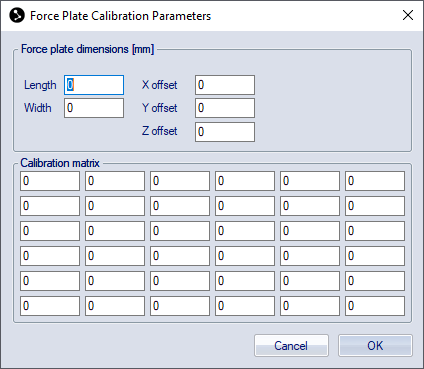
Select the Generic 6 ch with matrix (c3d type-4) force plate type and click Calibration under the Force plate type heading to go to the Force plate calibration parameters dialog. It contains the settings for dimensions of the Generic 6 ch with matrix (c3d type-4) force plate.
The main use of the Generic 6 ch with matrix (c3d type-4) force plate is for handling of imported c3d files. It is recommended to use the vendor specific force plate types when capturing data.
For information about c3d type-4 plates refer to the c3d.org website.
Force plate dimensions
Under the Force plate dimensions heading you should enter the dimension parameters (in mm) for the Generic 6 ch with matrix (c3d type-4) force plate. The parameters can be found in the user manual of the force plate.
Calibration matrix
The Calibration matrix is used to calibrate the force plate. Enter the values of the calibration matrix (M) (in SI-units) under the Calibration matrix heading. The values can be found in the manual of the force plate. The calibration matrix must fit in this formula F = M * A
Force plate settings
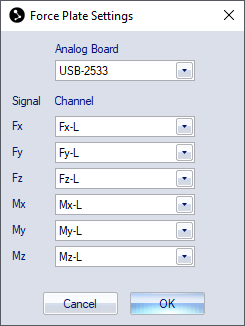
Select the Generic 6 ch with matrix (c3d type-4) force plate type and click Settings under the Force plate type heading on the Force plate page to open the Force plate settings dialog.
-
First you must select the analog board where the force plate is connected from the Analog board drop-down list.
-
Then associate each signal from the force plate with its respective analog channel with the Channel settings.
On the Analog board (...) page the channel names can be renamed to match the signal names.
For more information about the signals see the manual of the force plate.