Analog boards
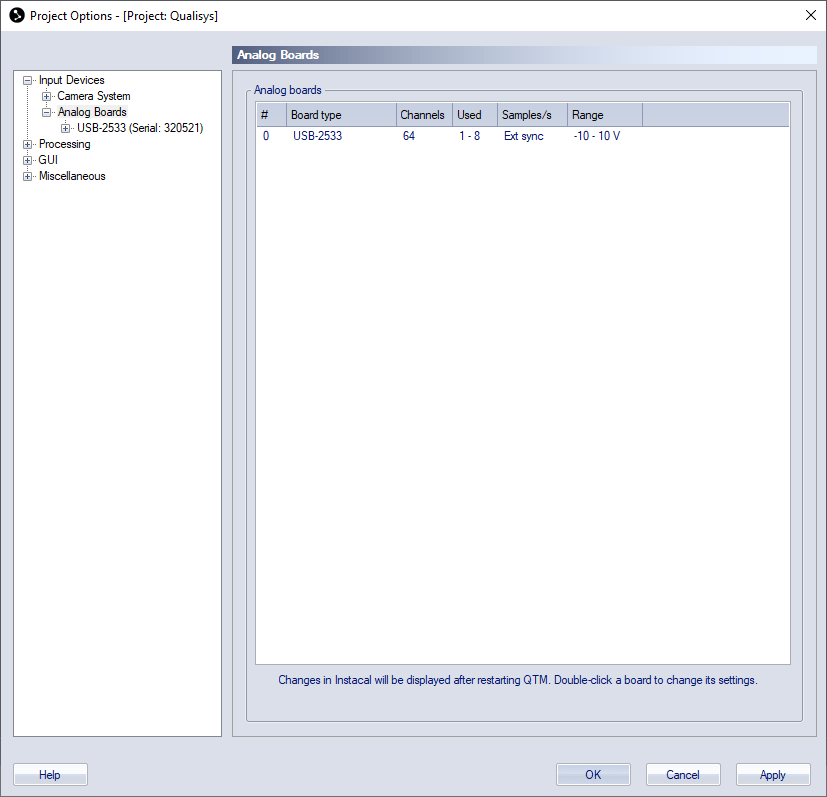
The analog boards that have been installed in the measurement computer are listed on the Analog boards page, for information about analog boards see chapter How to use analog boards. For instructions on how to install an analog board, see How to use analog boards.
If more than one board is installed make sure that the synchronization cable is connected to all of the analog boards.
The list of the analog boards contains six columns: #, Board type, Channels, Used, Samples/s and Range. The list shows an overview of analog boards that are checked as Enabled on the Input Devices page.
The # column contains the number of the analog board in Instacal. The Board type column shows the type of the analog board, for a list of boards that are compatible with QTM see How to use analog boards.
The four last columns contain the settings for the analog board. To configure an analog board select the board on the list. Then the analog board appears below the Analog boards branch of the options tree. Click the name to go to the page with settings for the analog board, see chapter Analog board settings.