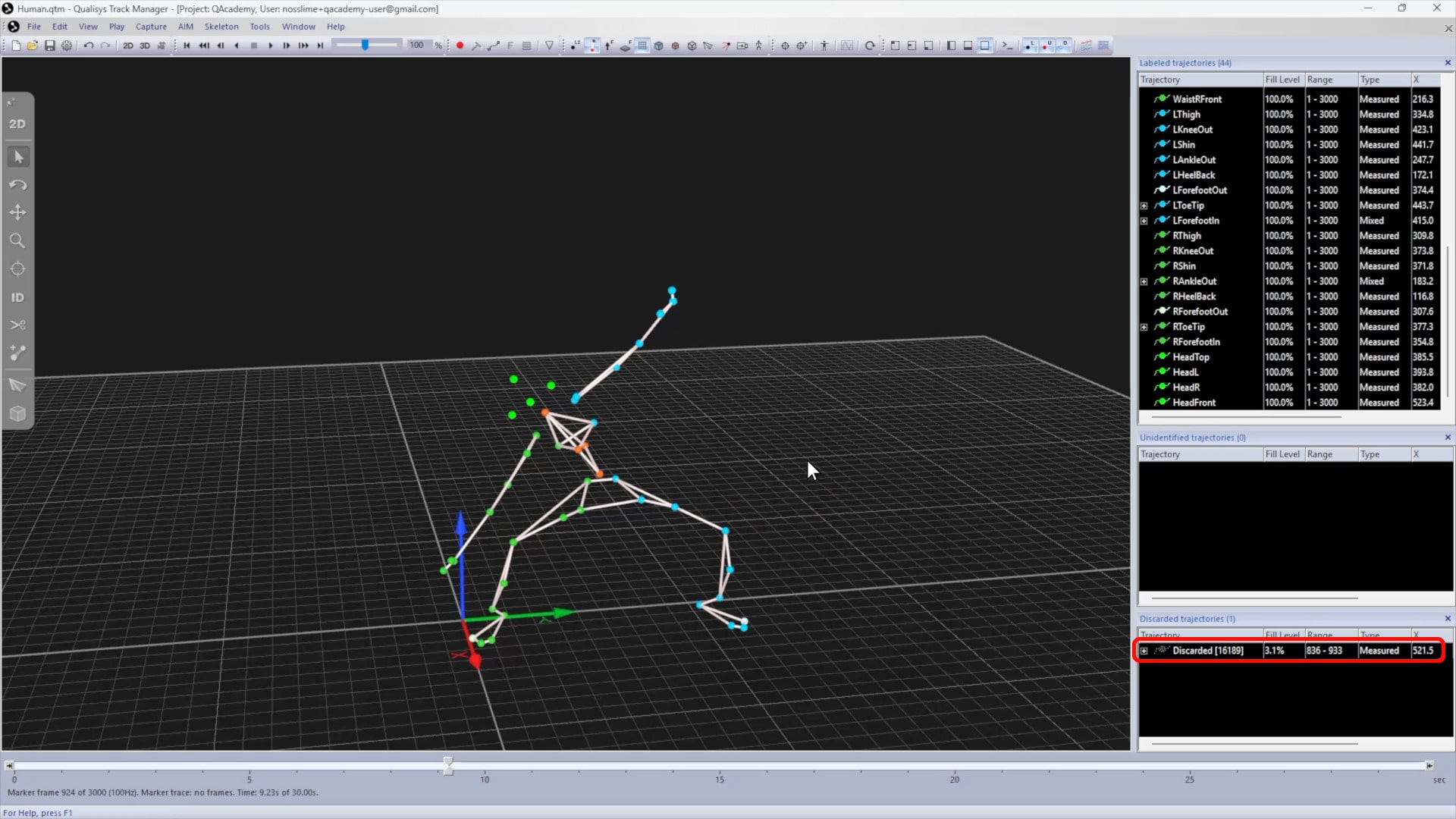
Labeling and discarding trajectories
Trajectories can be labeled or discarded through the trajectory info panes in QTM.

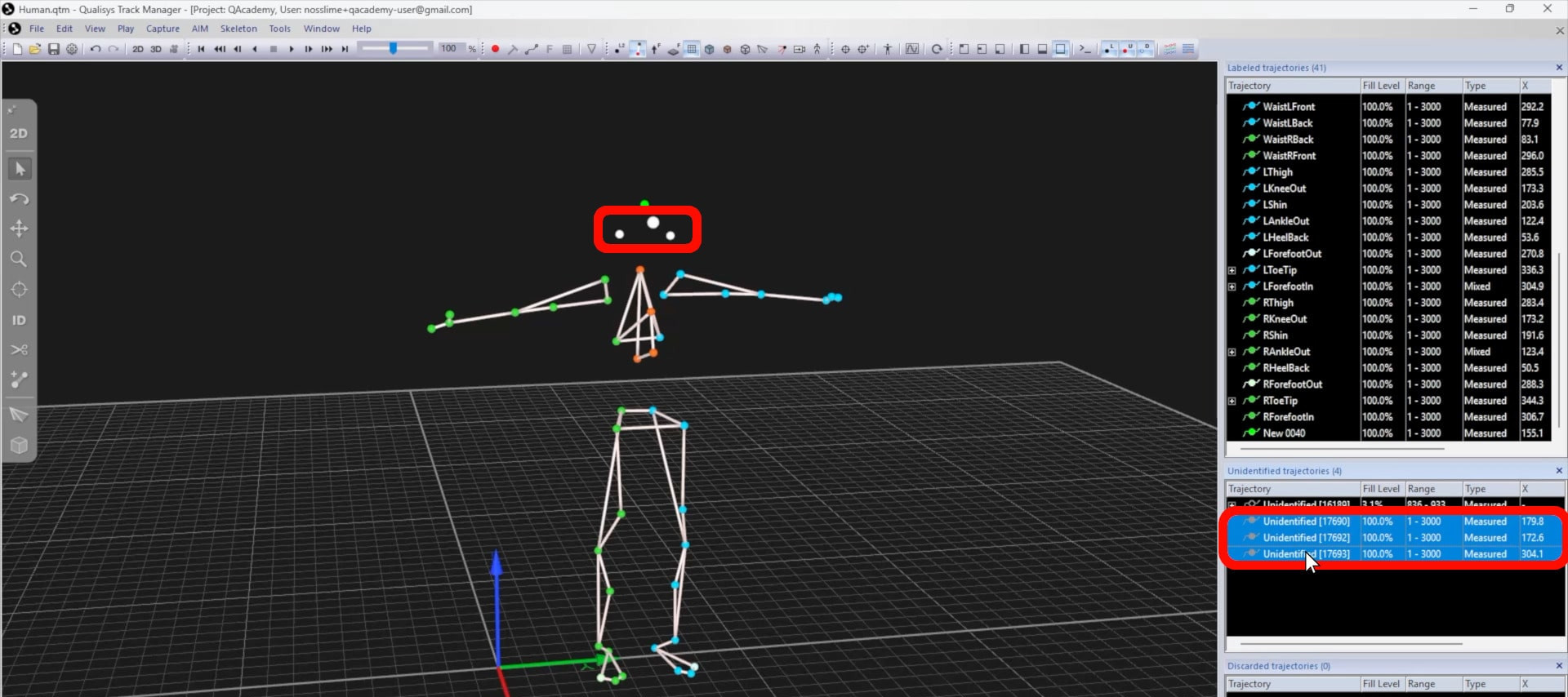
To manually label unidentified trajectories, you will first need to move them into the “Labeled trajectories” pane:
-
This can be done one at a time, or you can hold down Ctrl or Shift to select multiple entries from the “Unidentified trajectories” pane or from the 3D viewer.
-
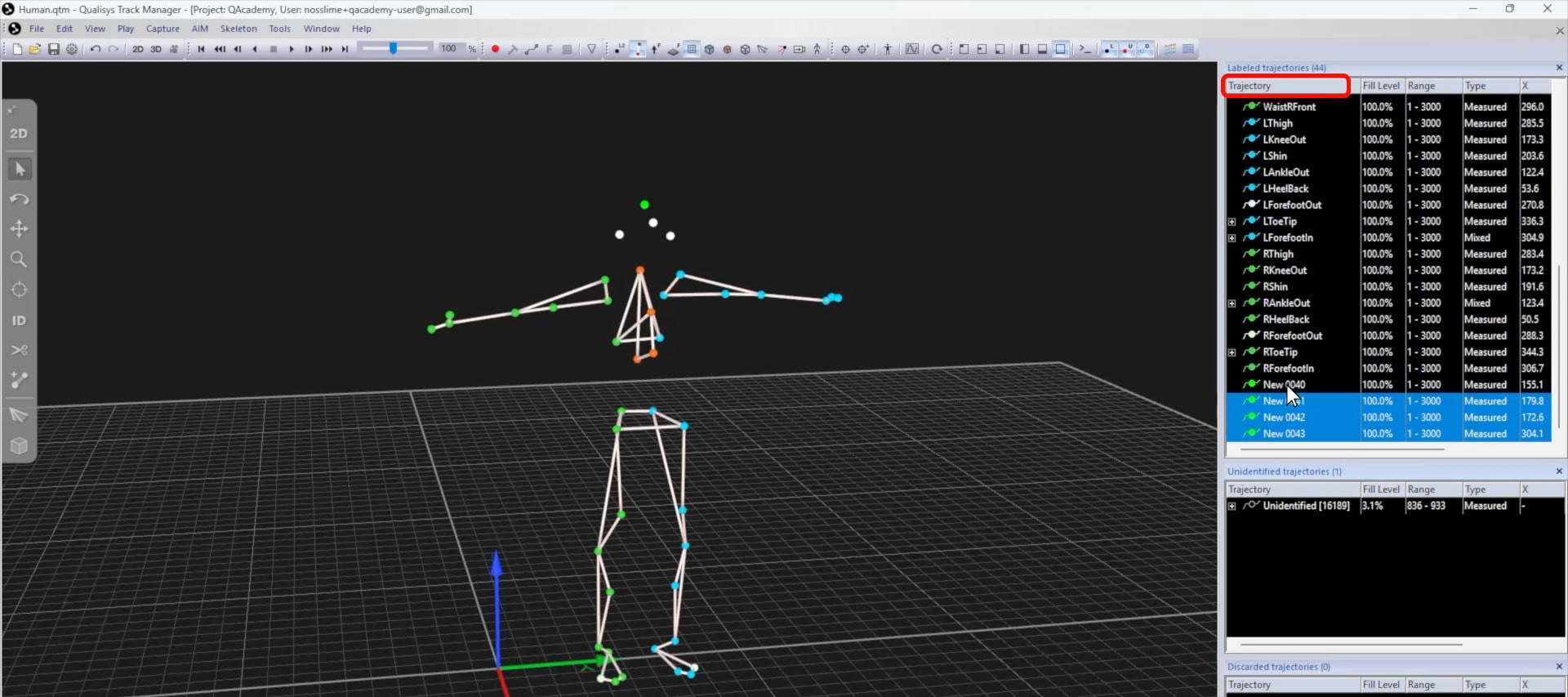
Drag the selected trajectories into a blank area of the “Labeled trajectories” pane or simply type L.
-
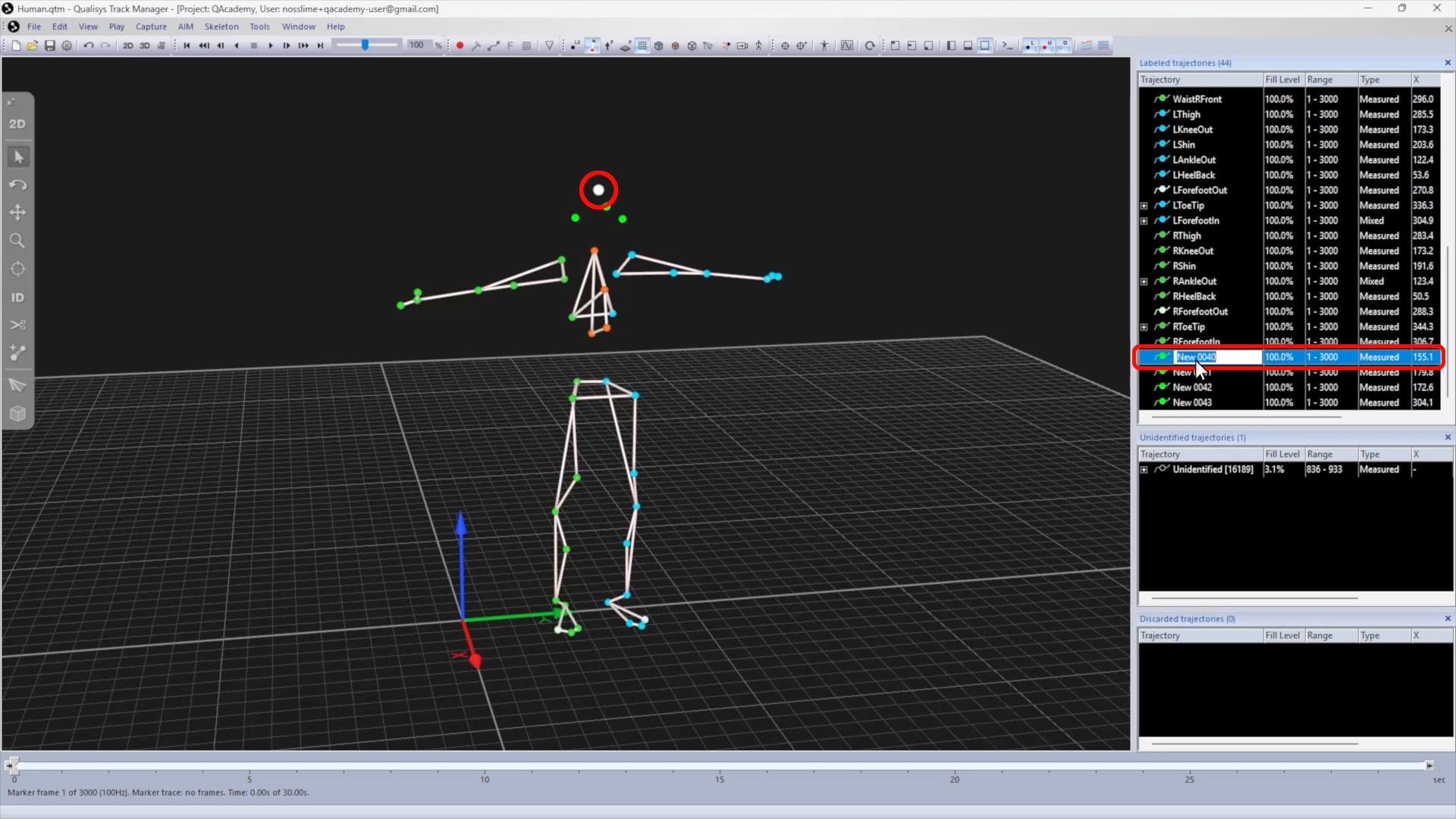
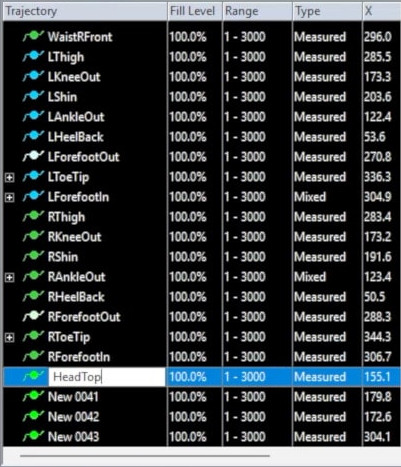
To rename a trajectory, either double-click on it in the right pane or select a marker and type F2.
-
Type in the marker name and press Enter.
To discard unwanted trajectories, such as those caused by accidental reflections:
-
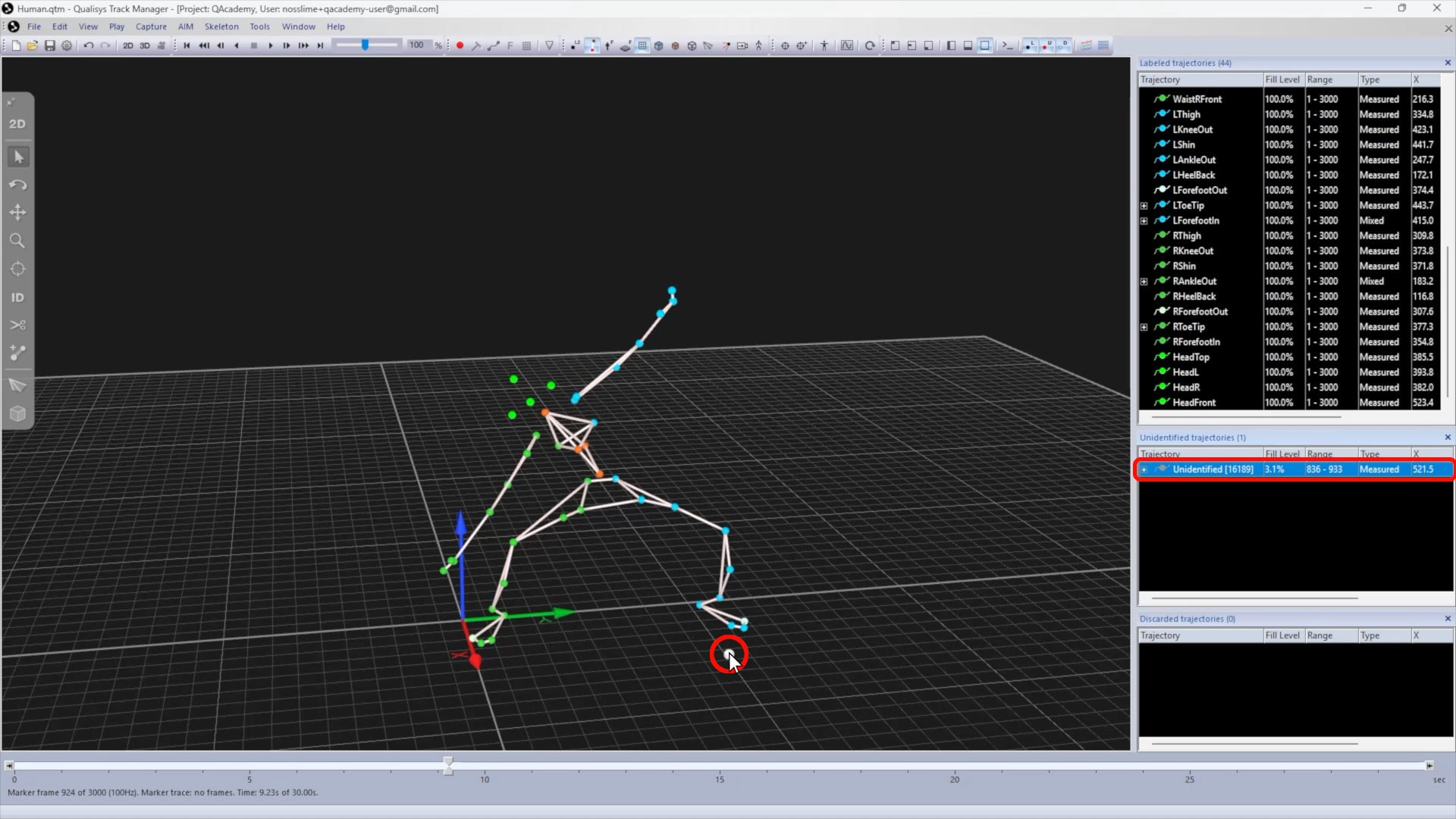
Select the unwanted trajectories in the info pane or in the 3D viewer, holding down Ctrl or Shift to select multiple entries.
-
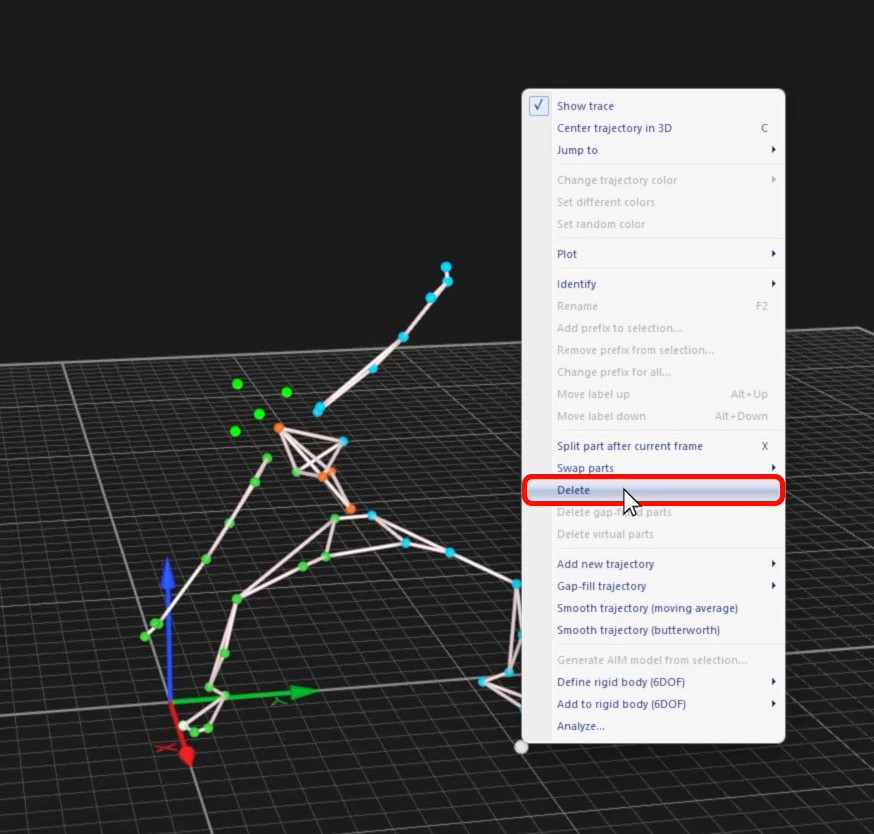
Right-click on the selection and choose “Delete” or simply type D.
-
The selected trajectories will be removed from the 3D viewer and listed in the “Discarded trajectories” pane.