Video settings
For markerless processing, the video collected by your Qualisys system should be as crisp and clear as possible. Subjects should be easily identifiable, not blurry or blending into the background.
-
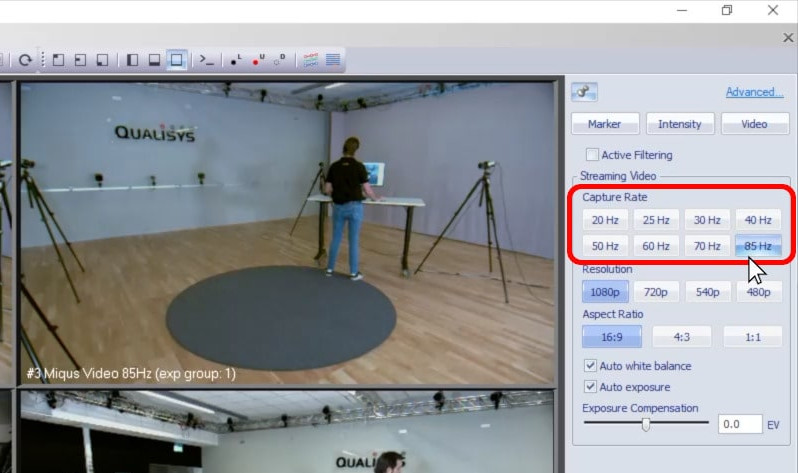
Raising the capture rate of your camera system allows it to acquire more data per second, which is useful for biomechanical calculations.
-
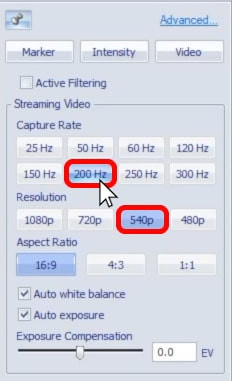
You can access higher frequencies by reducing the camera resolution, as long as you make sure that subjects are still at least 500 pixels tall. For instance, if recording in landscape orientation at a resolution of 1080p, the subject should fill at least half of the frame. Remember that if needed, you can orient the camera vertically or move it farther back.
-
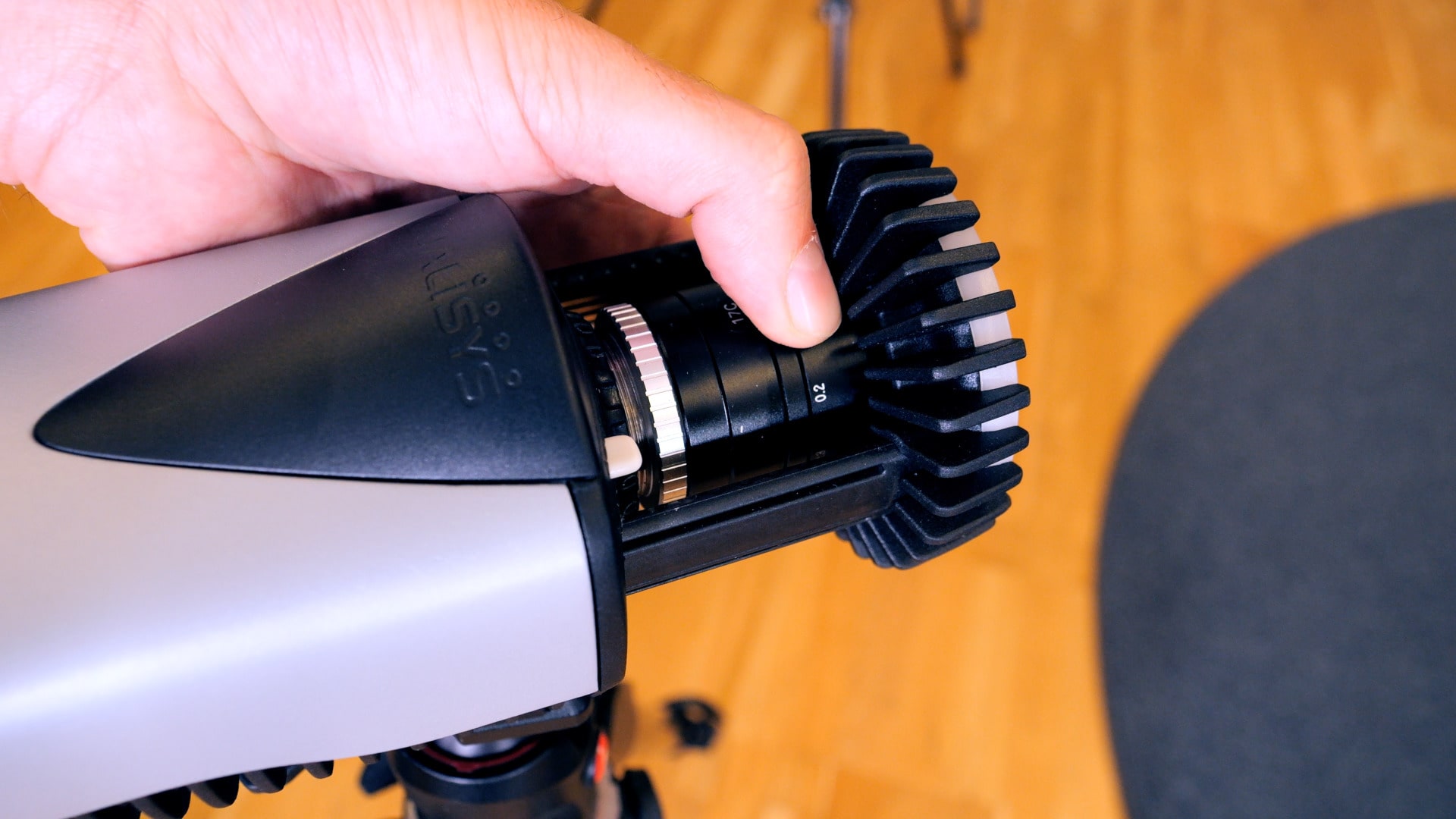
For video capture, you should use a low aperture on each camera to allow as much light as possible into the frame. Keep in mind that this decreases the depth of field, so try to set the lowest aperture that will still let you keep the subject in focus.
-
Physically adding more light to your recording environment will make it even easier to record clear video. LED lights are recommended to avoid flickering.
-
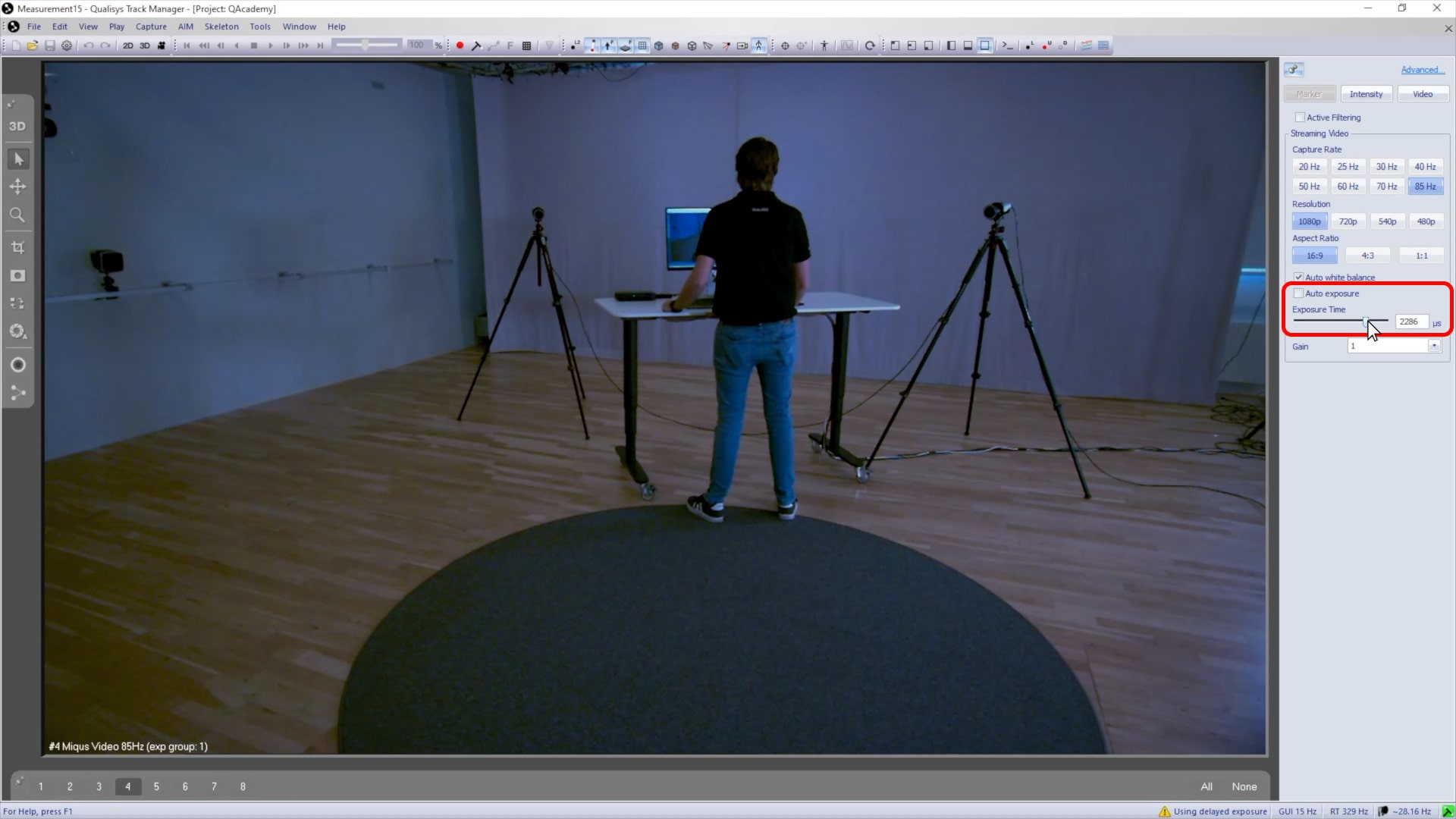
It is generally a good practice to use auto-exposure, especially when recording with variable light conditions. However, if you are experiencing motion blur, you can disable auto-exposure and try lowering the exposure time.
-
You can then raise the gain to brighten the image, as long as it does not become too grainy.
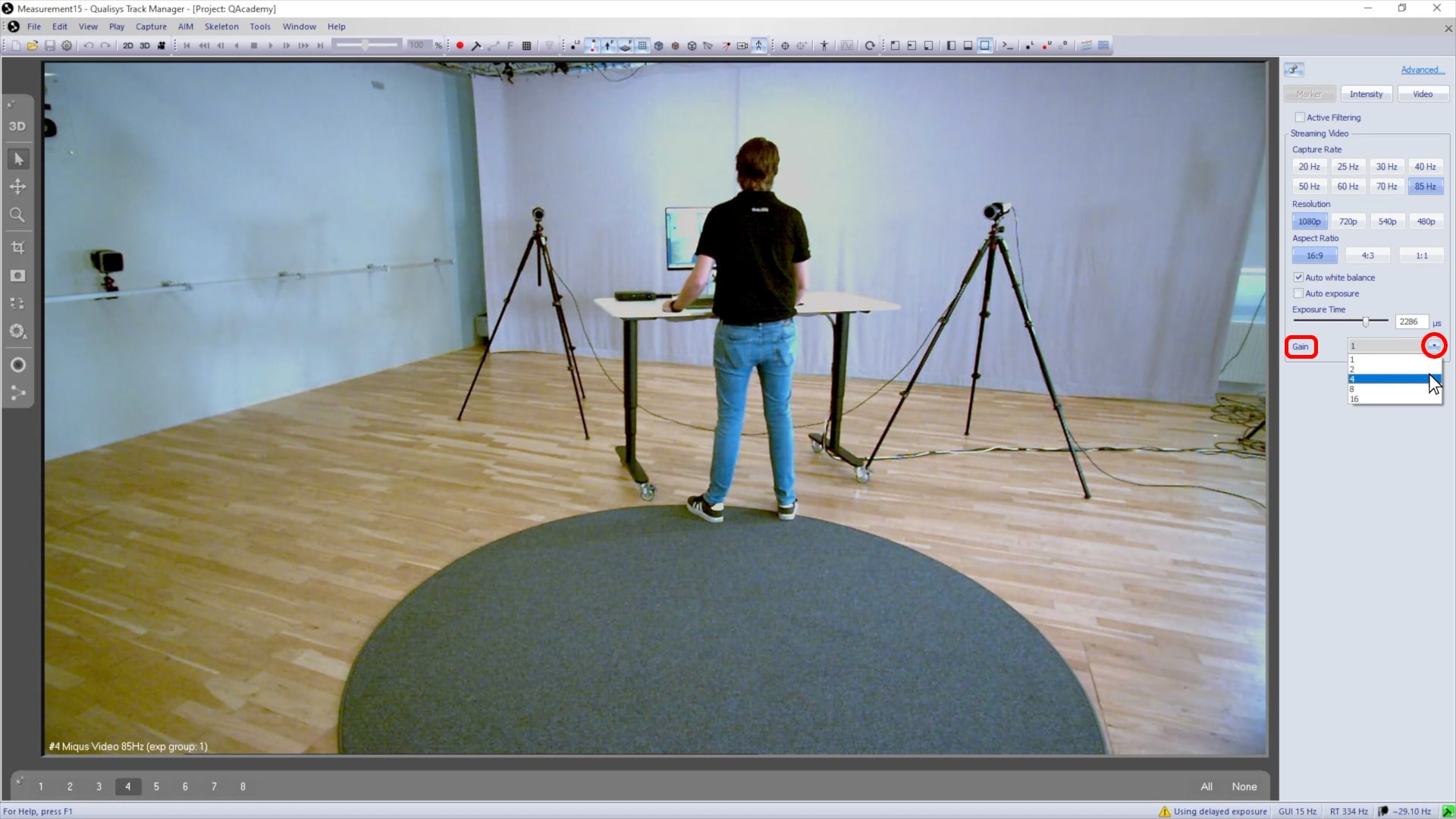
All of the video settings work together, so continue adjusting them until you find the best combination for capturing footage that is bright and in focus.