Bone menu
The Bone menu is opened when right-clicking on a bone, but it can also be opened on the Edit menu and in the 3D view window menu.
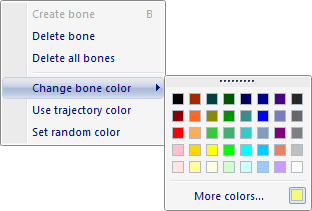
-
Create bone
Create bones between all selected labeled trajectories.
-
Delete bone
Delete the selected bones.
-
Delete all bones
Delete all existing bones.
-
Change bone color
Select a bone color for the selected bones.
-
Use trajectory color
Use the color of the first trajectory used to create the selected bone.
-
Set random color
Select a random color for the selected bones.