Skeleton Solver Markerless
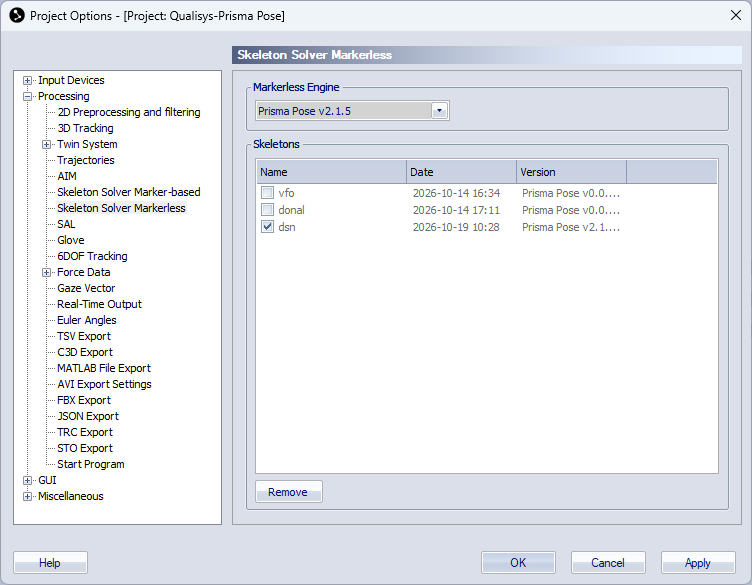
The Skeleton Solver Markerless page is used to manage the markerless skeleton definitions used in the project with Prisma Pose. For more information about how to use markerless skeleton solving with Prisma Pose, see chapter Solving markerless skeletons.
The Skeleton Solver Markerless page contains the following settings.
-
Markerless Engine
Select the markerless Prisma Pose engine for calibration and solving of markerless skeletons. You can select between all versions downloaded to your computer, see chapter Downloading the markerless engines.
-
Skeletons
List of skeleton definitions present in the project. The column are:
-
Name
Name of the skeleton provided when calibrating it. The checkbox in front of the name is used to enable a skeleton definition for markerless skeleton solving.
-
Date
Date that the skeleton was calibrated.
-
Version
Version of the markerless engine used for the skeleton calibration.
-
Only one skeleton definition can be enabled at a time.
-
Skeletons that do not match the selected markerless engine are greyed out and cannot be applied.
-
-
The skeleton list can be managed using the following buttons.
-
Remove
Remove the selected skeleton.
-