Assigning extra markers to a segment
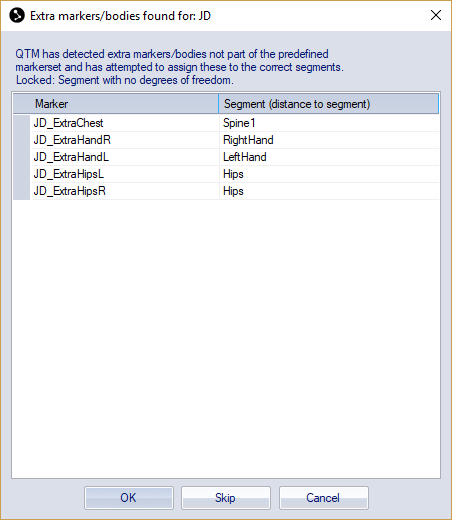
When calibrating a skeleton with extra markers or rigid bodies, QTM displays a dialog showing the assigned segments for each extra marker or rigid body. If needed, you can change the assignment to a different segment, or specify None if the marker or rigid body should not be used for skeleton solving. The functions of the buttons are:
-
OK: Approve the chosen segment assignments and proceed with calibration and solving.
-
Skip: Proceed with calibration and solving without using the extra markers. The extra markers will not be included in the skeleton definition.
-
Cancel: Interrupt the calibration and solving process.
When using the Qualisys Sports Marker Set, the segments RightToeBase, LeftToeBase, Spine1, Spine2 and Neck are locked. Extra markers added to these segments will primarily affect their respective (unlocked) parent segments and that way contribute to the skeleton solving.