Open topic with navigation
Step 9 – Report
Visual3D report
Purpose of report created by Visual3D is mainly to verify that all data has been processed correctly.
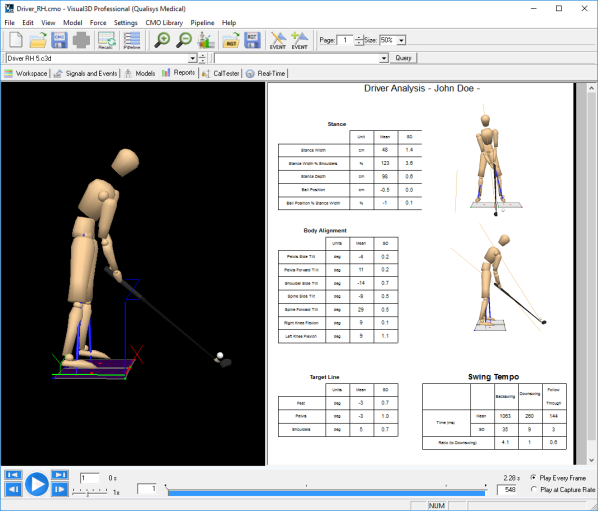
Note: Units can be either Imperial or SI. To change the units edit the file [project folder]\Templates\settings.php and change $use_imperial_units and/or $club_speed_units.
Web report
Shows an interactive and elaborated html report in your default web browser (we recommend Google Chrome).
Each time a report is generated you will have the choice to "Skip claiming and view report" or "Claim report as". The latter option ("Claim report as") is recommended as it will connect the report to your Qualisys user account. Use your Qualisys.com credentials to log in when you are claiming the report.

Once done, you will be able to view the html report in your web browser.
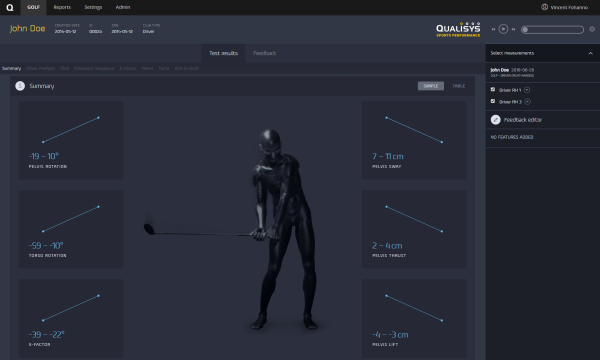
Note: Normatives in web report are based on data of four golfers, each performing 4 to 11 swings using driver. The golfers were selected by golf biomechanics expert.
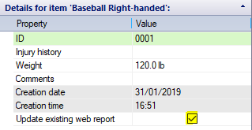
Note: If the same report for a given session is uploaded multiple time, previous versions are hidden and only the latest one will be available in your Report Center. If you would like to generate a new report instead of overwriting the previous report, go to QTM > PAF pane, right-click your session and select "Edit details", then uncheck "Update existing web report" checkbox.
Reports are stored online and previously created reports are accessible via Report Center (report.qualisys.com). For details on how to use Report Center please see separate online documentation.
Note: There is a limit on how many videos can be uploaded within a single web report. The actual number of videos differs depending on the computer but under normal conditions the limit should be around 500 .avi files per entire session.
Attachments
It can sometimes be useful to include files generated by other software in a report. To do this, you can use attachments.
Attaching files to a report
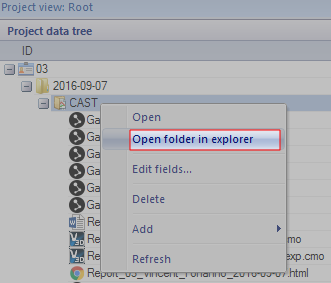
- Open the data folder of your current session. In QTM, go to Project view > Right click measurement > Open folder in explorer.
- In Explorer, create an empty folder and name it 'Attachments'. It should reside next to the .qtm files of your session folder.
- Place one or more files in the new folder. These files will now be embedded in the next report you generate.
Viewing attachments in a report
- Go to the Attachments tab.
- Your attachments can now be viewed or downloaded.
- To view an attachment, simply click on it.
- To download an attachment, click on the attachment you want to download.